


Smart Watch app - BT Notifier
4.32.39K Reviews
App Specs
- Version
- Varies with Device
- Updated On
- License
- Free
- Downloads
- 10,000,000+
- Developer
- Tech that app
- Categories
- Communication
- Platform
- Android
Screenshots
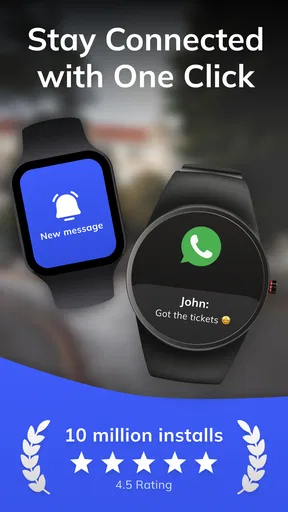
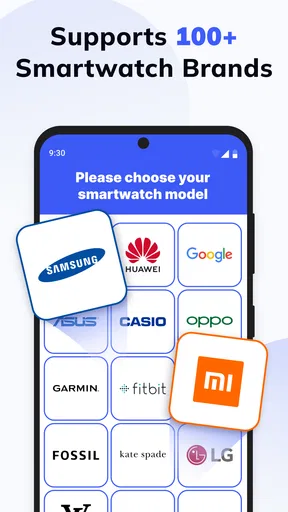
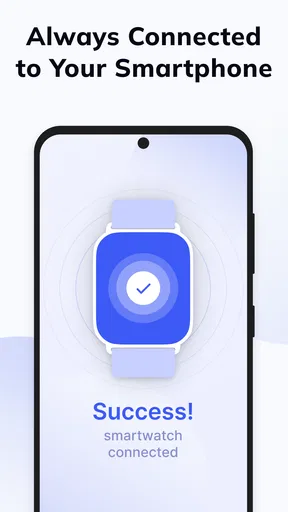
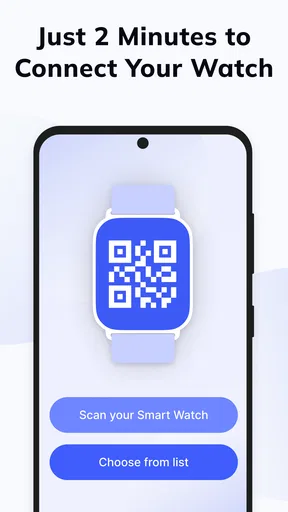
 Analysis by AppCompare
I find a smartwatch most useful when it saves me from picking up my phone for every small alert. That is the idea behind BT Notifier: it links a phone with a watch so notifications can be checked at a glance. In a shared household, that simple job can be handy, but it also makes setup and personal boundaries worth thinking through before anyone relies on it.
When one watch serves a practical purpose
A realistic use is a person at home who keeps a phone in another room while cooking, doing laundry, or helping someone else. A wrist alert can make it easier to notice a call without leaving a task midway. The same arrangement may suit a household member who wants fewer reasons to keep a phone in hand, while still being reachable for something time-sensitive.
I would treat this as a personal phone-to-watch connection, not a shared inbox for the whole family. If two people use one watch at different times, notifications can become confusing or expose information meant for the phone’s owner. A shared device works best when its wearer and the connected phone belong to the same person, and when everyone nearby understands that alerts may appear on the watch.
Pairing is only the beginning
Bluetooth pairing is the first step, but the useful setup decision is what should be allowed to interrupt you. I recommend starting with only the apps that genuinely need a wrist alert, then adjusting the selection after a few days. That keeps a watch from becoming a second stream of constant pings and makes calls or messages easier to notice.
Before relying on the connection, check that the phone and watch are paired to the intended devices and that the connection is still active after either device has been moved or restarted. A watch notification system depends on both ends of that link; if one is disconnected, the wrist is no longer a dependable place to check for alerts. I would keep the phone accessible for anything urgent rather than assuming every notification will always arrive on the watch.
Useful coordination, with a clear limit
For ordinary coordination, call alerts and selected app notifications can help when someone is moving around the home or has their phone set aside. A quick wrist glance may be enough to decide whether to call back now or finish a task first. It is a small convenience, not a substitute for agreeing how household members will reach one another.
That distinction matters if a family expects a watch to act as a safety or monitoring tool. A notification companion does not replace direct communication, a dedicated emergency arrangement, or an adult checking in with a child. I would not use it as the only route for an urgent message, and I would avoid connecting another person’s phone without their knowledge and consent.
Worth Reading Before You Choose

EA SPORTS FC Mobile 26 Is a Bigger Football Game, but It Takes Time

Flipboard Shows What News Apps Must Do Beyond the Feed

Switching to Android Auto Means Rethinking Your Driving Routine

Google Calendar Makes a Crowded Week Easier to Manage

Ludo King Makes the Most of the Minutes Between Plans

Baby Panda World Brings Quick Play to Modern Phones, but Its Game Library Feels Busy
Age, privacy, and trust
The app is rated for Everyone, but that label does not decide whether a particular watch setup is appropriate for a child. The important questions are who owns the phone, who can see the watch, and whether message or call alerts might reveal private information. For a younger user, I would make those boundaries clear with an adult involved rather than treating the age rating as a family-use recommendation.
BT Notifier is free to download, with optional in-app purchases ranging from around a dollar to about eighty dollars per item. It comes from Tech that app and has a 4.2 average from around 231,000 ratings, with over 10 million installs. That gives prospective users a sense of its broad reach, but a large audience does not guarantee that a particular phone-and-watch combination will behave exactly as expected.
Getting Started with BT Notifier
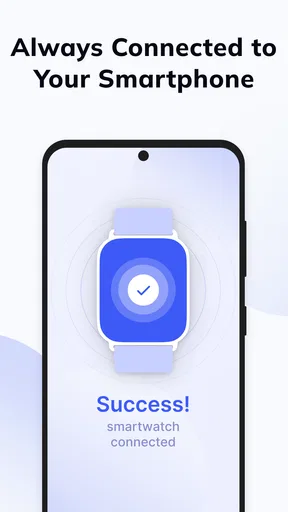
First things first, downloading and setting up the app is a breeze. Available for both Android and iOS, you can find it on the respective app stores. Once installed, the app seamlessly connects with your smartwatch via Bluetooth. I didn’t encounter any hiccups during the pairing process, which is always a relief. The user interface is straightforward, making the initial setup process smooth and quick.
Features Galore
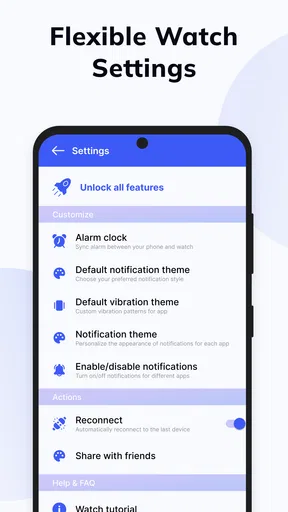
Now, let’s talk about what this app brings to the table. The primary function of the BT Notifier is to sync your smartphone notifications with your smartwatch. Whether it’s SMS, emails, or social media alerts, you’ll never miss a beat. I loved how customizable it is. You can choose which apps send notifications to your watch, so you’re only interrupted by what truly matters to you.
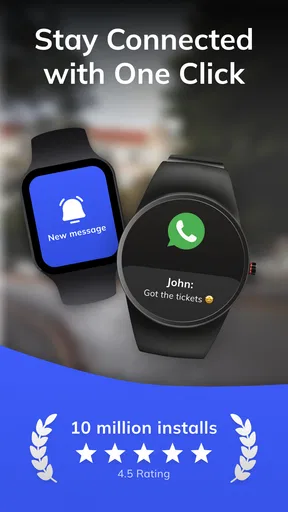
Another feature that caught my attention is the call alert function. If you’re anything like me and often keep your phone on silent, this feature is a lifesaver. You’ll get a gentle nudge on your wrist whenever a call comes in, ensuring you never miss an important conversation.
Performance and User Experience
In terms of performance, the app runs smoothly without any noticeable lag. Notifications appeared almost instantly on my smartwatch, which is crucial for staying up-to-date in real time. The connection remained stable throughout my testing, even when my phone was in another room.
The app doesn’t drain your phone’s battery significantly, which is always a plus. I appreciate that the developers prioritized efficiency, making it suitable for daily use without any worries about power consumption.
Choosing the right notification routine
The strongest way to use a phone-to-watch notifier is as a filter, not a mirror. I would avoid sending every social, shopping, and work alert to my wrist. Instead, I’d choose the apps where a quick glance changes what I do next: calls I should answer, a message from someone I need to coordinate with, or an alert tied to a plan already in progress. Everything else can wait until I check the phone.
There is also a privacy trade-off in choosing what appears on a watch. A short vibration may be discreet, but a screen that lights up in a meeting, on public transport, or beside another person can still reveal that a message arrived. If the watch is visible to others, I’d keep sensitive conversations off its notification list and use the phone for details. That is more useful than trying to make a wrist display handle every situation.
Where it fits among alternatives
Compared with checking the phone directly, BT Notifier offers less information at once but can save a reach, unlock, and distraction when all I need is to know that something has arrived. Compared with a smartwatch’s own built-in notification settings, it is an additional route for linking devices rather than a reason to assume every watch needs another app. If your watch already handles the exact alerts you want reliably, the built-in option may be simpler; if you want a phone-to-watch notification bridge, this app is aimed at that narrower need.
It is also not a replacement for a messaging app, a family calendar, or a shared task list. Those tools help people exchange details and coordinate plans; a notifier mainly brings selected alerts closer to the wearer. For a household, that means it can make an existing arrangement more convenient, but it cannot decide who is responsible for a pickup, remind everyone of a change, or confirm that a message has been read.
What to check when an alert does not arrive
If an expected notification fails to appear, I’d troubleshoot in a simple order: confirm the phone and watch are still connected, check whether the relevant app is selected for forwarding, and then send a low-stakes test alert before depending on the setup again. This avoids assuming that the watch is broken when the issue may be a changed selection or a dropped connection. It also gives a household a sensible backup habit: keep important contact methods available on the phone.
One practical test is to leave the phone where it will normally be during the day and see whether the watch remains useful from the places you actually move through. A connection that works across one room may not suit every home layout or routine. I would judge reliability by repeated everyday use, not by a single successful pairing, and I would not plan around receiving urgent alerts without checking the connection first.
Who is likely to appreciate it?
I can see this being a good fit for someone who already owns a compatible smartwatch, wants selected phone notifications at a glance, and is comfortable managing a Bluetooth connection. It is especially practical when the phone is often in a bag, on a desk, or set aside during chores. The app’s communication focus is clear: it helps the wearer notice incoming activity without turning the watch into a full substitute for the phone.
I would skip it if you want household-wide controls, a way to coordinate several people from one watch, or a dependable emergency channel. It is also a poor fit if you dislike wrist interruptions or already get the notifications you need through the watch’s regular settings. In those cases, direct calls, the phone’s own tools, or a dedicated coordination app may be a better match for the actual problem.
Why You’ll Love It
So, why should you consider downloading the BT Notifier? Well, if you value convenience and efficiency, this app is a must-have. It simplifies your digital life, allowing you to stay connected without constantly reaching for your phone. Plus, the customization options mean you can tailor it to fit your lifestyle perfectly.
Whether you’re at the gym, in a meeting, or just lounging at home, having quick access to notifications on your wrist is incredibly convenient. It’s like having a mini smartphone that doesn’t distract you from the task at hand.
Final Thoughts
Wrapping up, the BT Notifier app is a fantastic addition to anyone’s smartwatch arsenal. It’s easy to use, offers great features, and enhances your smartwatch’s capabilities. If you’re looking to make your life a little easier and more connected, give this app a try. Trust me, once you start using it, you’ll wonder how you ever lived without it.
Ready to take the plunge? Head over to the app store, download the BT Notifier, and start enjoying a more connected experience.
Pros
- Easy to pair with multiple devices.
- User-friendly interface and navigation.
- Real-time notifications are reliable.
- Low battery consumption on devices.
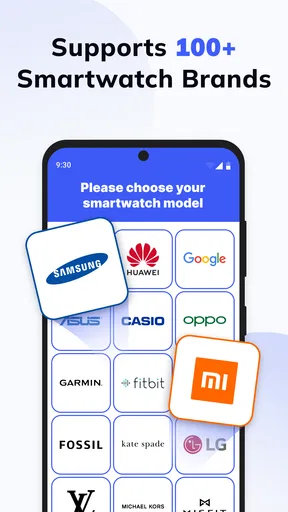
- Supports a wide range of smartwatches.
Cons
- Limited customization options.
- Occasional connectivity issues.
- Some features require premium version.
- In-app ads can be intrusive.
- Not all notifications are supported.
FAQs for Smart Watch app - BT Notifier
What is the primary function of the BT Notifier app?
The BT Notifier app is designed to seamlessly connect your smartphone with your smartwatch. Its primary function is to send notifications from your phone directly to your smartwatch, ensuring you never miss important calls, messages, or app alerts, even when your phone is out of reach.
Is BT Notifier compatible with all smartwatches?
BT Notifier is compatible with a wide range of smartwatches, particularly those running on Android and iOS platforms. However, it's crucial to check the specific compatibility requirements on the app’s page or within the user manual of your smartwatch to ensure a smooth connection between devices.
How do I set up and pair my devices using BT Notifier?
To set up BT Notifier, first download the app onto your smartphone. Enable Bluetooth on both your smartphone and smartwatch, then open the app to begin the pairing process. Follow the on-screen prompts to connect both devices securely. Ensure both devices are within close proximity to facilitate a stable connection.
Are there any subscription fees or in-app purchases?
BT Notifier is generally free to download and use. However, some features may require in-app purchases or a subscription for full functionality. It's advisable to review the app store listing for detailed information on potential costs and to manage your expectations regarding the app’s premium features.
What should I do if notifications are not appearing on my smartwatch?
If notifications are not appearing on your smartwatch, first ensure that both devices are properly paired and that Bluetooth is enabled. Next, check the app's notification settings to confirm that permissions are granted. Restarting both devices can also resolve connectivity issues. If problems persist, consulting the app’s support section may provide specific troubleshooting steps.


